
Sell like a closer.
Close more deals, no sales experience needed. Closer listens to your call and tells you what to say next, from your own playbook. Managers see every call as it happens.
$6 of free credit every month. Zero retention at AI providers: the AI that transcribes and coaches your calls keeps nothing and never trains on it. Call audio isn't saved unless your team turns on recording.
Discovery · stage 2 of 5
“Got it. If even three of those are jobs, what's one job worth to you?”
Lines from a practice call in the app
How it works
Set up once. Then just take the call.
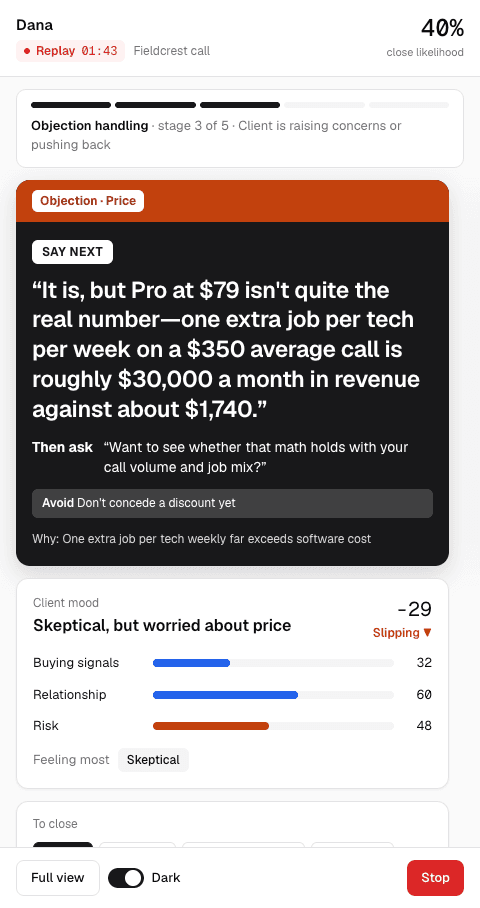
Say next
One line, right when you need it
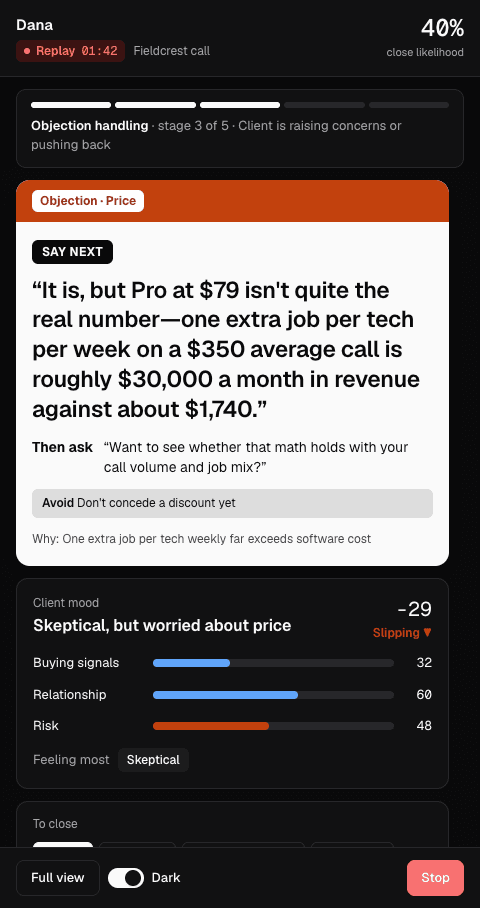
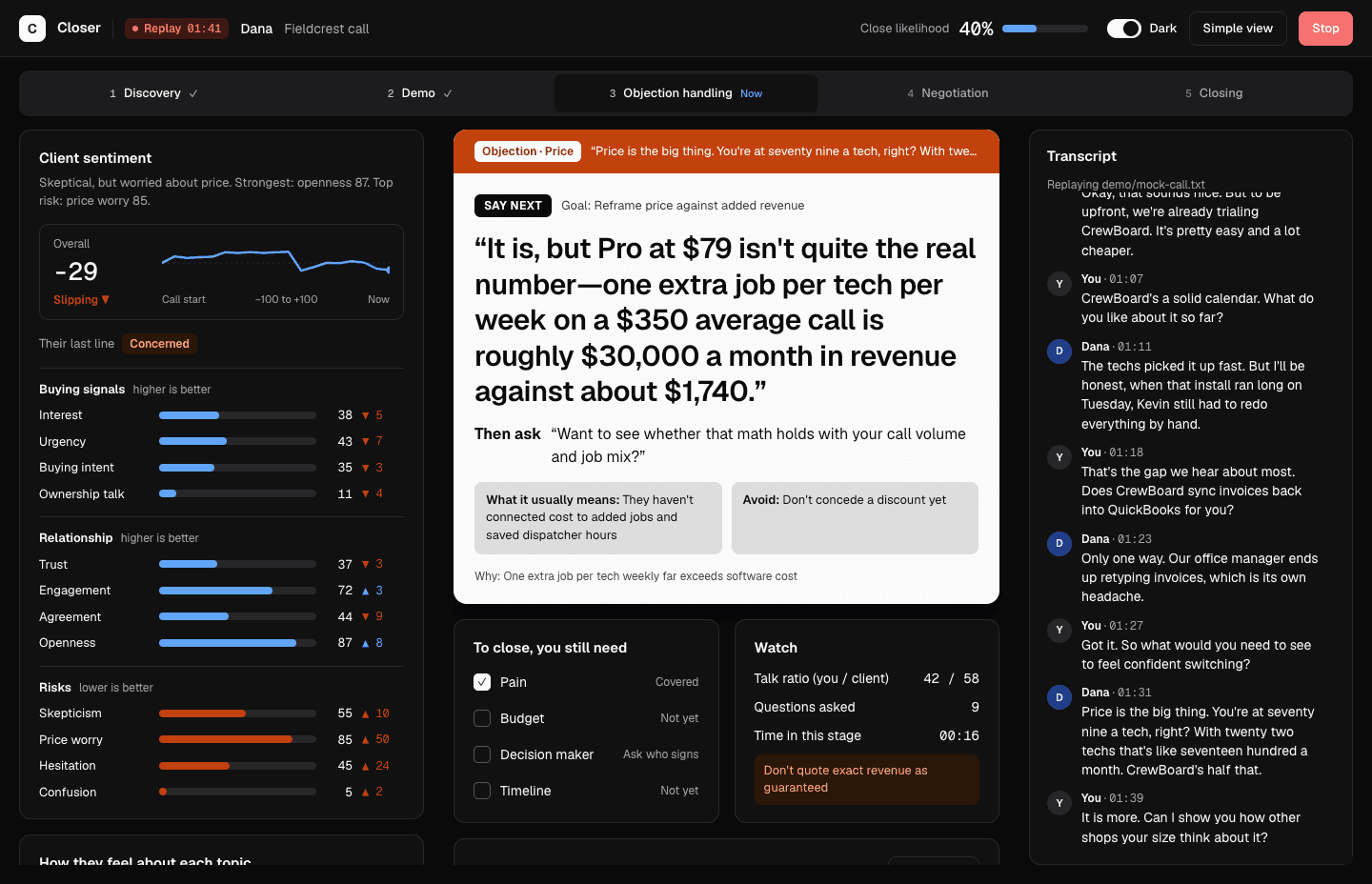
Closer waits for the client to pause, then writes the next thing to say, drawn from your playbook and your own sales material. Objections come with an answer, a question to ask next, and what to avoid.
- Reads the room: mood, buying signals and risks on every client line
- Knows the stage of the call and what you still need to close
- Simple view for one glance, Full view for everything
Notes
Notes that write themselves
Call notes draft themselves while you talk and are finished when you hang up: a summary, the next step, key facts and action items you can check off. Send them to a HubSpot contact in one click, or to Pipedrive, Salesforce, Slack, a spreadsheet and more through Zapier or Make. Not a sales call? Turn on notes only and Closer just takes the notes, at half the rate.
Recap deck
A recap deck, built while you talk
Click Make a deck on the call and Closer turns what the client said into a few slides: what you heard, how you can help, the price you discussed and the next step. Show it before you hang up, then send it as a link or a PDF.
- Every line is checked against the call and your playbook, and anything Closer can't back is flagged for you before you share
- Your team's colors and slides, set once on the website
- Only made when you ask, or on every call if you turn it on
Accounts
A free CRM that fills itself in
Every sales call files itself under the right company: who was on it, where the deal stands, how keen the client is, and the to-dos from the notes. Your team shares each account's history, and Closer remembers it for your next call with them. It's on every plan at no extra cost.
- Run your deals in it, with a pipeline board and CSV import
- Already on HubSpot? Keep it, and Accounts becomes Closer's memory of each client
- Spot hot deals, overdue to-dos and accounts gone quiet
Playbooks
A playbook for every way you sell
Keep one playbook for each product or way you sell, and pick one before the call. To change one, tell Closer what's new or add a file. You see every change before anything is saved.
Learnings
Sharper after every call
When a call has something worth keeping, Closer suggests it: something to fix, something that worked or a tip, usually with the line it came from. Keep one for yourself or suggest it to the team. Once you or your manager approves it, the coach uses it on your next calls.
Practice
Rehearse before the real call
Hit Practice call on Home and talk out loud to an AI buyer built from your playbook. Pick a skeptic, a price shopper or a buyer in a rush. You get graded when you hang up.
For managers
See every call as it happens
Who's on a call right now, each call's stage and close likelihood, win rates, and which coaching tips your reps actually use.
- Open any call for its notes, the coaching the rep followed and the full transcript
- Invite reps by email; reps coach from the team's playbook
- Admin, manager and rep roles, so reps see only their own calls
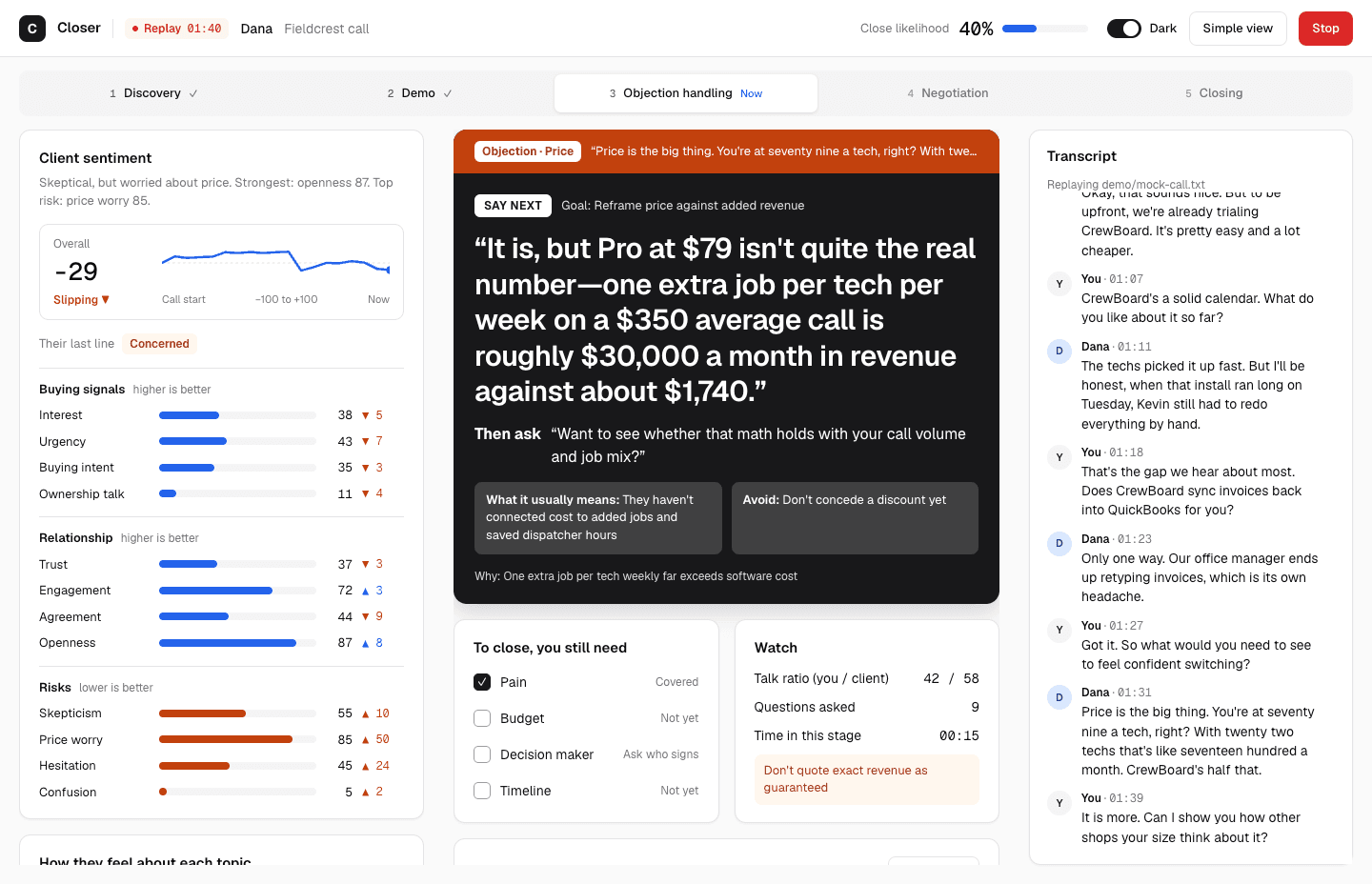
Or see the whole call at once
Full view adds live sentiment, buying signals, what you still need to close, and the transcript as it happens.
Privacy
Clear about what we keep
Your Google account. Earpiece uses Google only to sign you in and, if you connect them, to show today's calls from your Google Calendar and import the Google Drive files you pick. Google data is never used to train AI. See our Privacy Policy.
Pricing
Start free with monthly credit. Live and practice calls are priced by the hour and billed by the minute. On Solo and Team, extra use is $2.50 per hour (a 3-minute call is about 13¢), with a spending cap and usage alerts. Notes-only calls count at half rate.
What would it cost us?
8 live call hours a month in total. Notes-only calls count at half.
Questions people ask first
Anything else, write to support@getearpiece.com.
What is Closer?
Closer by Earpiece is a real-time AI sales coach for Mac and Windows. It listens to your sales call, tells you what to say next from your own playbook and sales material, writes the call notes for you, and shows managers every call as it happens.
Do I need sales experience?
No. Closer gives you the next line to say and tracks checkpoints: what you still need to learn before you pitch. Practice calls let you rehearse first.
Will the other person know I'm using Closer?
Only if you tell them, and you should. No bot joins the call: Closer runs on your computer and listens to your mic and your computer's audio. At the start of every call it shows a line to say and an intro you can paste in the meeting chat, so the other person knows an AI note-taker is transcribing. Many states require everyone's consent, and getting it is up to you.
Which call apps does it work with?
Anything that plays sound on your computer: Zoom, Google Meet, Microsoft Teams, and web or desktop dialers like Kixie. Wear headphones so your mic only hears you.
Does it work for calls on my cell phone?
Not yet. Closer coaches calls that run on your computer. To use it on phone calls, dial from your computer with a dialer like Kixie.
How is Closer different from a note taker or call recorder?
Note takers and call recorders tell you what happened after the call. Closer coaches you during it: one line to say next when the client pauses, answers to objections, and checkpoints for what you still need before you pitch. It writes the notes too, and nothing joins the call as a bot.
How much does Closer cost?
Pay as you go is free to start with $6 of credit every month, then $4 per live hour. Solo is $49 a month with 15 live hours, for one person. Team is $79 per rep a month with 25 live hours per rep, shared by the whole team. Notes-only calls count at 50% of the live rate. Every plan gets every feature.
Is my call recorded?
Not unless your team turns on call recording. Closer turns the call into text as it happens and doesn't keep the audio. Transcripts and notes are saved to your account so you and your manager can review them, and you can delete any call. Teams that want playback can turn on recording, which keeps audio for 30, 90 or 365 days and deletes it with the call.
What do I need to set it up?
Your product info: pricing, case studies and product docs. Upload files or pick them from Google Drive. Closer drafts your playbook, then asks you about anything it couldn't find. You can keep one playbook for each product or way you sell and pick one before the call.
How does it work for a sales team?
An admin invites reps by email. Reps coach from the team's playbook, and their calls show up on the manager dashboard as they happen. Managers can open any call to read the notes, see which coaching the rep followed and read the transcript. Admins also handle billing and roles; reps see only their own calls.
Does it work with my CRM?
Yes. An admin connects HubSpot once. When the client on a sales call is already a HubSpot contact, the notes go to them when the call ends; otherwise anyone can send a call in one click from its page on the dashboard. For Pipedrive, Salesforce, GoHighLevel, Zoho, Close, Slack or a spreadsheet, connect Closer through Zapier or Make, and every call's notes go there when they're ready.
Do I need a CRM?
No. Accounts, Closer's built-in CRM, is on every plan at no extra cost. Each sales call files itself under the right company with the people on it, the deal's stage, how keen the client is and the to-dos from the notes. Use it as your CRM with a pipeline board and CSV import, or keep the CRM you have and let Accounts be Closer's memory of each client.
Can I send the client something after the call?
Yes. Click Make a deck on the call and Closer builds a short recap deck from what was said, in your team's colors. Every line is checked against the call and your playbook, and anything it can't back is flagged for you to fix before you share it as a link or a PDF.
Does it work for what I sell?
Yes. The coaching comes from your own product docs, pricing and case studies, so it works for software, services, cars, homes or anything else you sell by talking to people.
Does it work on Windows?
Yes, on Windows 10 or 11 (64-bit). Download it from the download page. The Windows app is new, so tell us at support@getearpiece.com if anything looks off.
Coach your next call
Start free with monthly credit. Nothing to install on the client's side.